Payer Home (Billing and Payments)
The Payer Home page provides an overview of the payer's account. The Payer Home contains different information based on whether the student is part of the Billing and Payments or Collection Management modules.
For a student in Billing and Payments, the Payer Home page separates the student's account information into tabs. You can view the student's account summary, the activity on their account, and their payment plans.
The tabs on the Payer Home page display based on your institution's configuration. For example, the eRefunds tab and the Statements tab display when those features are enabled for your institution.
Payer Overview
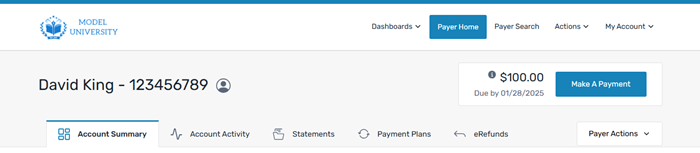
The top of the page includes the payer's name and student ID, a summary of their due date, and the total account balance.
Account Summary
|
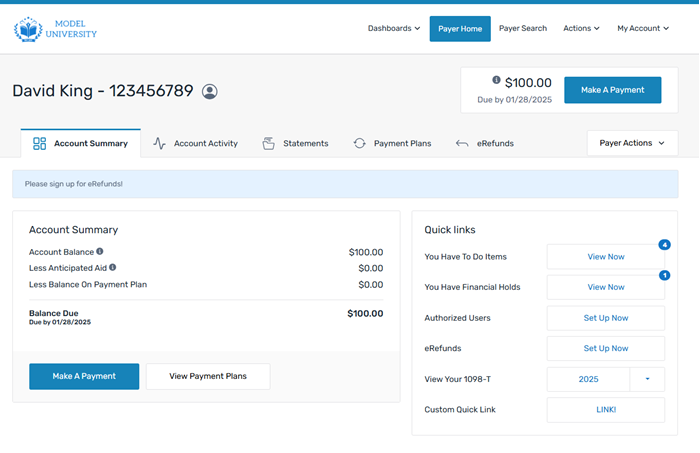
The Account Summary tab is the main landing page for payers on the Payer Home page. It shows a summary of the payer's account including any balance due, anticipated aid amounts, and payment plans. From the Account Summary tab, the payer can view additional features such as approved Authorized Users, the ability to enroll in eRefunds, and their 1098T tax forms. You can make a payment to an account balance by clicking the Make A Payment button to open the Make Payment page or enroll a payer in a payment plan using the View Payment Plans button to open the Payment Plans tab of the Payer Home page. In the Quick Links box, you can see the quick links that are configured for the payer and use them to access the payer's information. |
|
Account Activity
|
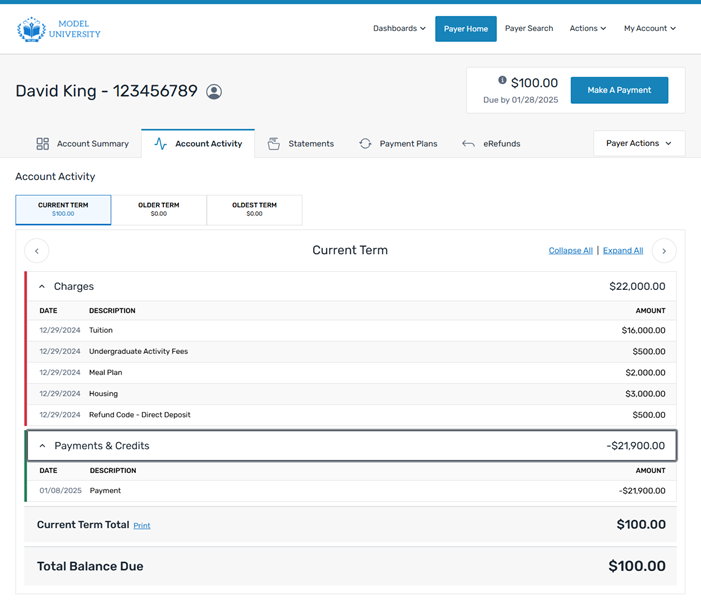
The Account Activity tab displays all of the payer's transaction activity for the account. The transaction activity is separated by term and then split into categories. You can view the transactions in these categories:
You can view transactions for the current term and past 2 terms. You can use the Print link to print the entire list of transactions. While each tab focuses on one term, every tab also associates each term's balance with the overall account balance. If there are balances from other terms, or payment plans, which impact the overall balance due, that information is reflected in a second section at the bottom of the page. The "Total Balance Due" displayed at the end of the page will always match what the payer sees on account summary and next to the make a payment button! |
|
Statements
|
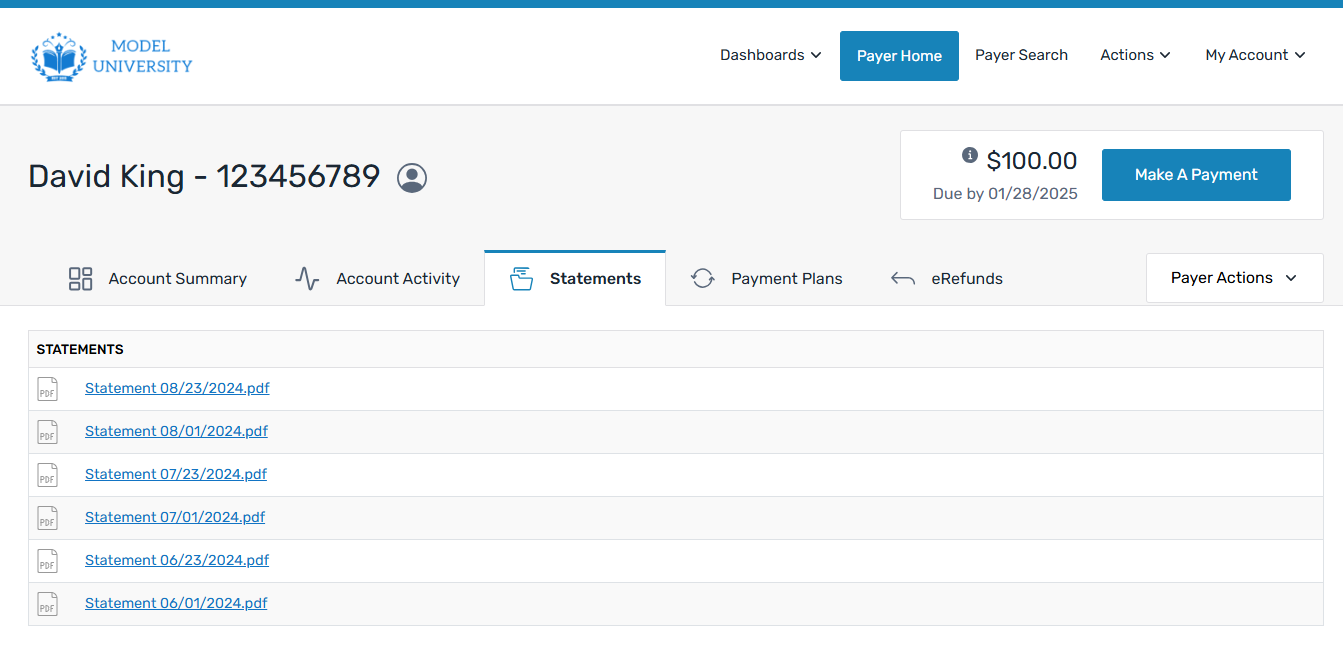
The Statements tab displays monthly statements for the student's account. There is no limit to the number of statements that display. You can print or save the statement from this page. |
|
Payment Plans
|
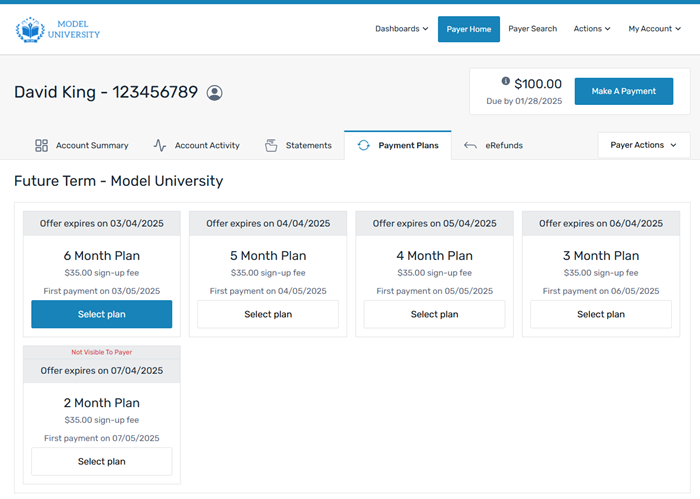
The information displayed on this page is updated based on whether the student or Authorized User has an active offer or an active payment plan. The Payment Plans tab displays the offers available for the student or Authorized User. You can select an existing offer for the student or Authorized User. |
|
eRefunds
|
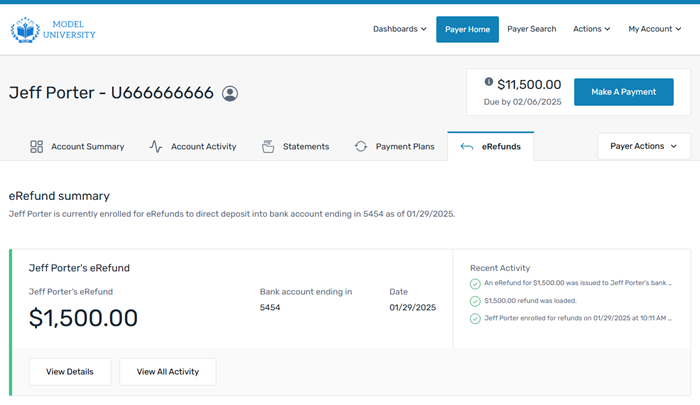
The eRefunds tab displays the student or Authorized User's eRefund status and whether they have received an eRefund payment. If you have received an eRefund payment, you will see the amount and any recent activity.  What is considered an eRefund? What is considered an eRefund?
An eRefund is when the you refund a credit balance to a payer (also known as the recipient). A credit balance occurs when financial aid disbursement exceeds the account balance. The credit balance is sent to the payer (student or Authorized User) using the eRefunds feature. |
|