View Real-Time Integrations
You can use the View Real Time Integrations page to view the real-time integrations for your institution and sub-institutions.
 What are real-time integrations?
Real-time integration allows seamless data flow and enhanced financial management between the SFS and your institution's SIS/ERP. Real-time integration ensures instant, accurate, and up-to-date payment and payment plan information, benefiting both your institution and your payers.
Real-time integration requires work between your IT department and Flywire to configure the communication (or integration).
For more information about real time integrations, see Real-Time Integration using Flywire Connectors.
Who can view real-time integrations?
You must have the correct permission configured to be able to view your real-time integrations. If you want to manage this information but do not see the option, the permission is controlled with the Access Tuition Dashboard and Read-Only Tuition Configuration permission on the Edit User page.
If you need access, please contact the Flywire administrator at your institution or contact Flywire Support at [email protected].
What type of integrations are available?
| Integration Types | Description |
|---|---|
| RTSI |
Real-time Student Information (RTSI) allows Flywire to pull student information, transactions, balances, and other data from your system. |
| RTPN |
Real-time Payment Notification (RTPN) allows Flywire to send information about payments from the SFS to your system. |
| RPPN |
Real-time Payment Plan Notification (RPPN) allows Flywire to send information about payment plans to your system. |
| RT1098R (US only) |
Real-time 1098t (RT1098T) allows Flywire to pull 1098t data from your system. |
| RTSQ |
Real-time Student Query (RTSQ) allows Flywire to query your system database in bulk in order to power targeted communication. Not available for all systems.
|
Finding the page
-
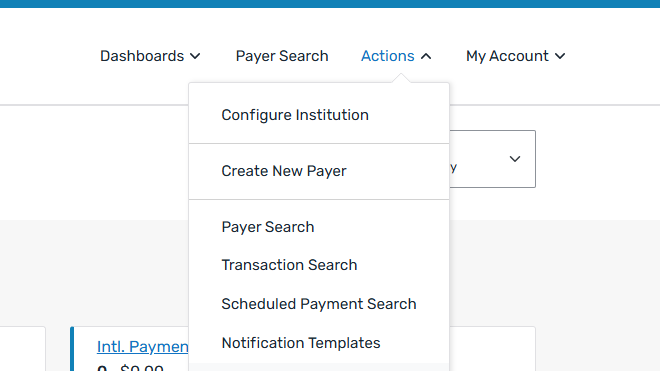
Select the Actions menu and click Configure Institution.
-
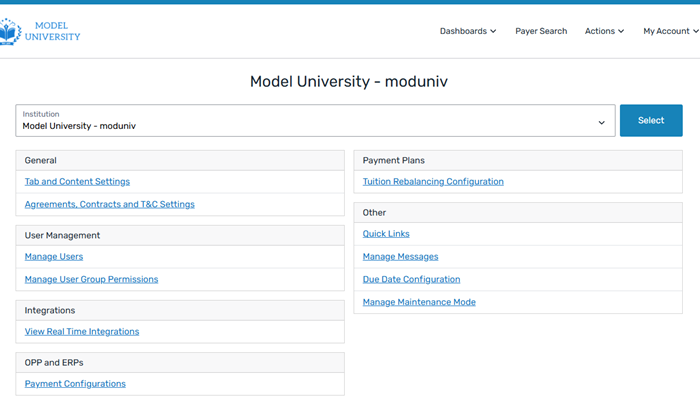
The [Institution name] page opens. If you do not want to configure the root institution, you can select the institution from the institution toggle at the top of the page.
 How do I use the institution toggle?
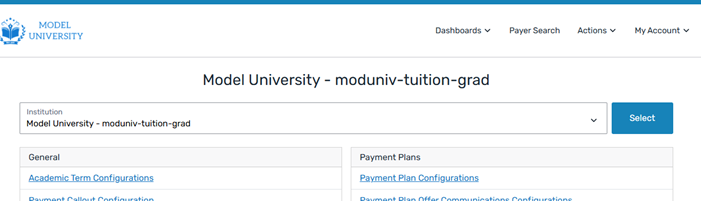
To change the institution using the institution toggle, select the institution from the drop-down list and click the Select button.
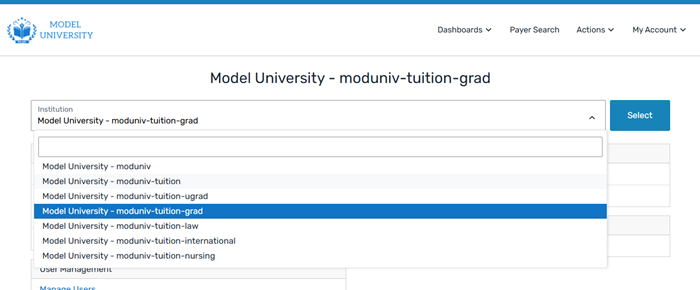
The name of the [Institution name] page will change to the name of the institution you selected. For example, if you are changing from the Model University root to the graduate institution, the name of the [Institution name] page updates to Model University - moduniv-tuition-grad.
-
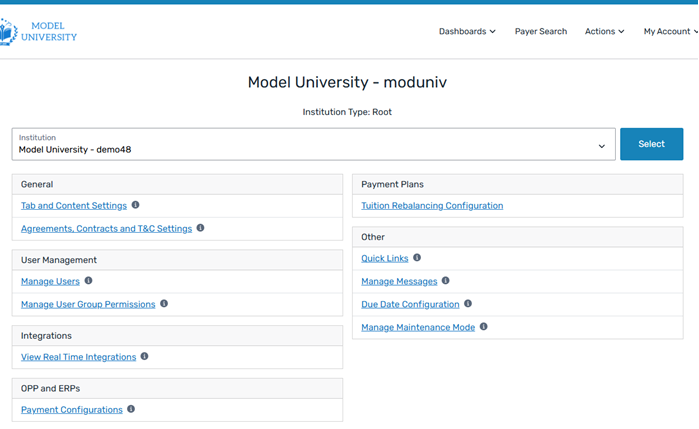
On the [Institution name] page, click the View Real Time Integrations link.
-
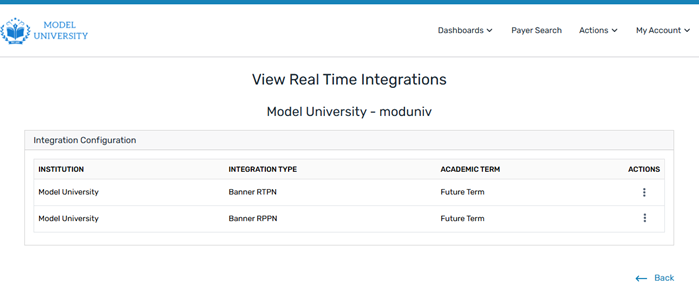
On the View Real Time Integrations page, you can view the integrations for your institution or sub-institution.
On the page
|
|
Integration Details
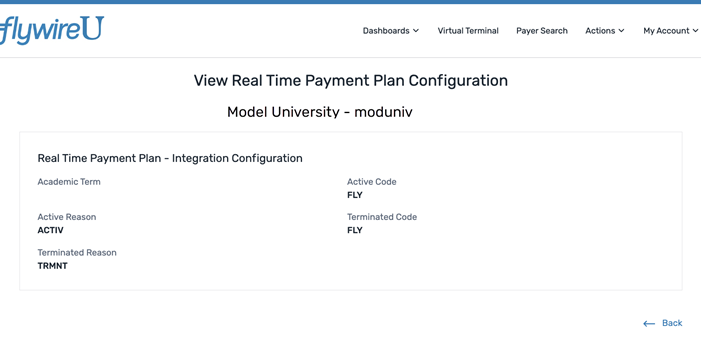
Clicking the View action on the View Real Time Integrations page opens the Configuration page for the integration. For example, if you have a real-time payment plan (RTPP) integration, you will see the View Real Time Payment Plan Configuration page.
The Configuration pages show the integration details, including the codes from your SIS/ERP that are used to configure the integration.