Collection Management
Collection Management allows you to define the collections lifecycle for you institution. You can set rules for how the SFS communicates with the payer and how the payer is allowed to pay the balance owed.
There are three phase modules your institution can implement for Collection Management. Your institution can implement one or all of these options and customize the length of time an account is worked in each module. The modules are:
 Pre-Collect
In the Pre-Collect phase, past due students are automatically engaged by the SFS to enroll in a payment plan or pay their balance in full.
You define the payment plan offers and communications for your institution.
You configure how long the Pre-Collect phase lasts and the pre-determined intervals when Flywire sends payment plan offer communications.
If you have the Internal Collections phase configured, the system will automatically move the accounts which have not enrolled in a payment plan or made payment in full to the Internal Collections phase when the Pre-Collect phase is complete.
Internal Collections
In the Internal Collection phase, Customer Service Representatives (CSRs), Collectors, and Managers work directly with students to negotiate a payment arrangement.
Collectors can negotiate a custom payment plan with a student and send them an offer to enroll.
Your Managers and CSRs can use the SFS dashboards to see the daily work queue and view available reports and analytics.
At the end of the Internal Collection phase, the accounts which have not enrolled in a payment plan or made payment in full may be automatically placed for first round with collection agencies or any other configured placement such as Shelved.
Agency Management
The Agency Management feature allows you to integrate collection agencies with your SFS collection management. With agency integration the SFS can automatically place student accounts in their first placement with collection agencies, allow manual reassignment to second and third agency placements, and post payments made to an agency back to the SFS.
Dashboards
|
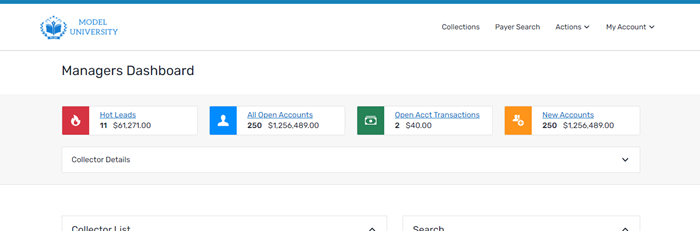
You can see an overview of all collectors and agencies in your institution using the Managers Dashboard. |
|
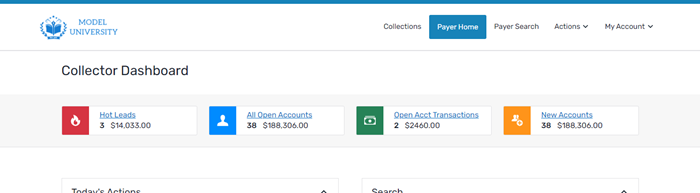
You can see an overview of all payers assigned to one collector using the Collector Dashboard. |
|
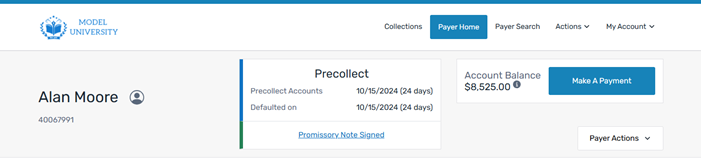
You can view information about your payers using the Payer Home page. |
|
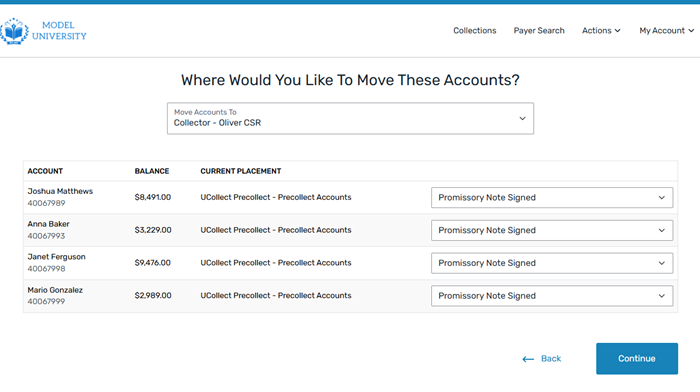
You can view instructions for moving payer accounts between collections phases using Move Accounts. |
Features
The available features for the collections management product are:
Collection Payment Plans
Collection payment plans are payment plans created to fit the payer's budget and meet their financial responsibility. Collection payment plans are tied to a bill but are not tied to a term or specific time frame.
Payer Timeline
The payer timeline is a visual representation of the payer's journey through their current collection phase. The timeline displays a summary of pending and completed actions, scheduled communications, offer expiration dates, and automatic moves from Collection Management. Managers and collectors can easily see a timeline of scheduled collection activities and quickly take action on priority work items.
The payer timeline only covers the current phase the student is in (precollect, internal collections, etc) and only shows actions/events for that phase.
On Demand Payment Plans
On demand payment plans are a flexible payment plans where you can choose the amount, length, and timing for the plan. An On Demand payment plan is created manually and is not tied to any tuition or collections bill. Since it is not tied to a bill, an on demand payment plan is never updated by a batch or real time integration process.
The on demand payment plans are not tied to a specific time period and do not need to be completed by the end of the term.
On demand payment plans are always balance based and can never be converted to a balance or budget payment plan.